Important details are buried
A transcript preserves sequence, but sequence is not the same thing as clarity when you need to revisit the conversation later.
Discussion mapping
OutThread helps you reshape messy conversations into a clearer visual structure. Instead of extracting a static summary, you get a mind map you can continue editing as the discussion evolves.
Sign in takes you straight into the app so you can try this workflow in a real OutThread workspace.
Long-form
Input friendly
Designed for sprawling chat and discussion threads.
Editable
Output format
The resulting map is not locked summary text.
Scannable
Review speed
People can spot the shape of the conversation quickly.
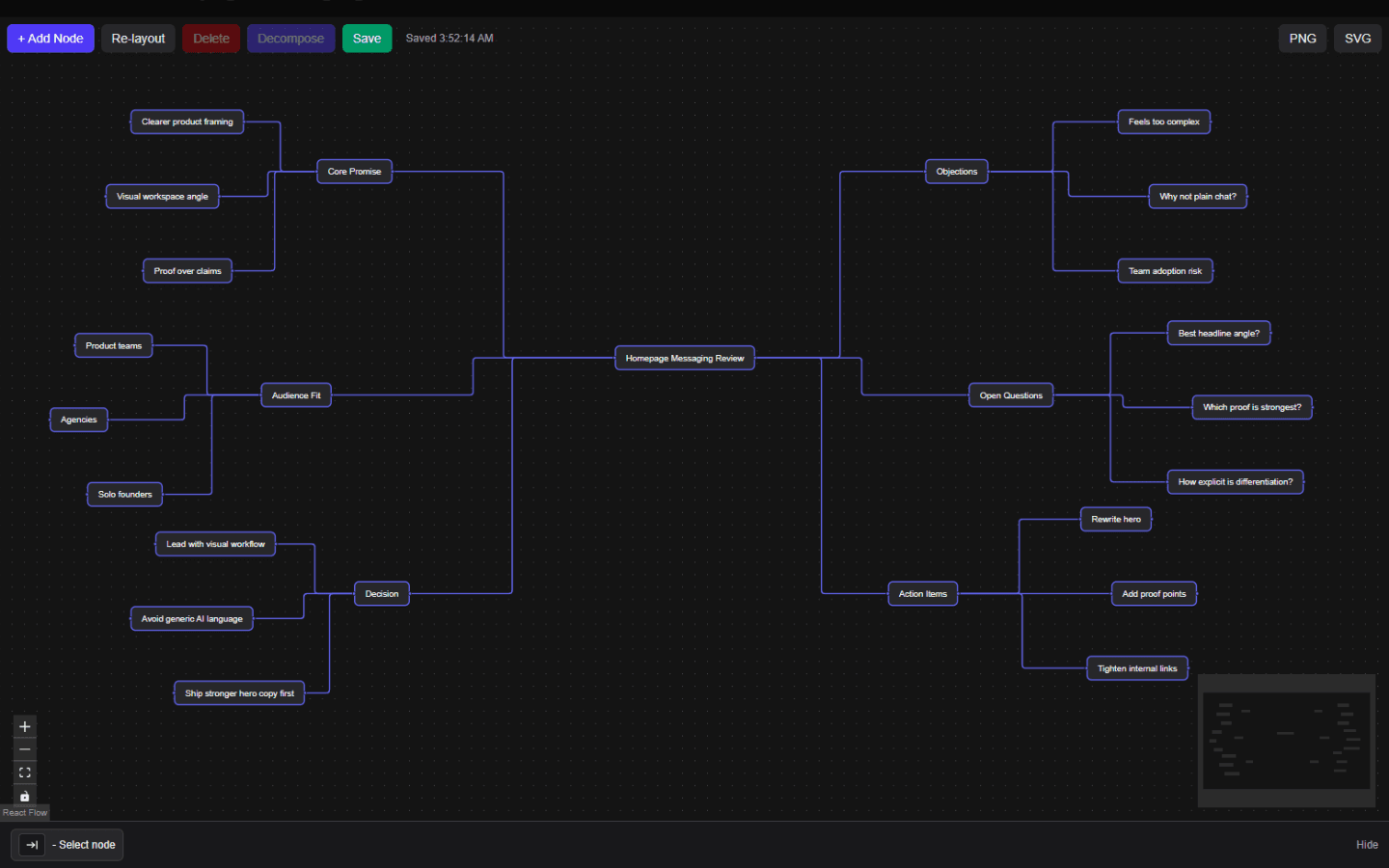
Discussion mapping screenshot
This hero screenshot shows a real OutThread map shaped from a messaging review, where objections, open questions, decisions, and action items are easy to scan at a glance.
Problem and solution
Even valuable discussions become expensive to revisit. Searchers looking for a way to turn discussions into mind maps usually want a faster way to extract structure without flattening everything into a short recap.
A transcript preserves sequence, but sequence is not the same thing as clarity when you need to revisit the conversation later.
A compact recap often removes the side paths, alternatives, and unresolved questions that still matter.
Without a visual structure, teams struggle to separate decisions from open tasks and supporting context.
Workflow
This page now walks through the search intent more directly: take a long discussion, extract structure, and keep refining it visually.
Start from a long AI chat, planning discussion, or messy idea dump that has useful content but poor navigability.
Organize themes, decisions, objections, and next steps into a map that is easier to inspect than linear text.
Refine labels, split branches, add missing follow-up, and turn the conversation into a working artifact.
Benefits
The goal is not just compression. It is better reuse of the conversation after the initial read-through.
New readers can understand the structure of a discussion without parsing every message in order.
Action items and unresolved branches become more obvious when they occupy their own space in the map.
Teams do not need to keep rewriting the same summary for each stakeholder.
Unlike a flat recap, the resulting structure can preserve alternate lines of thought.
FAQ
These answers sharpen intent coverage while keeping the page useful for real readers.
No. It is useful for team discussions, planning sessions, research notes, and any long thread that needs a clearer structure.
No. The map is meant to stay editable, which is the key difference from a one-shot summary document.
That is exactly where a map helps. Competing branches can stay visible side by side instead of being collapsed into one narrative.
Related use cases
Final CTA
Sign in to turn the next long discussion into an editable OutThread map and keep the useful branches visible for follow-up.